Modbus master & slave · TCP & RTU · Windows

See every byte
on the wire.

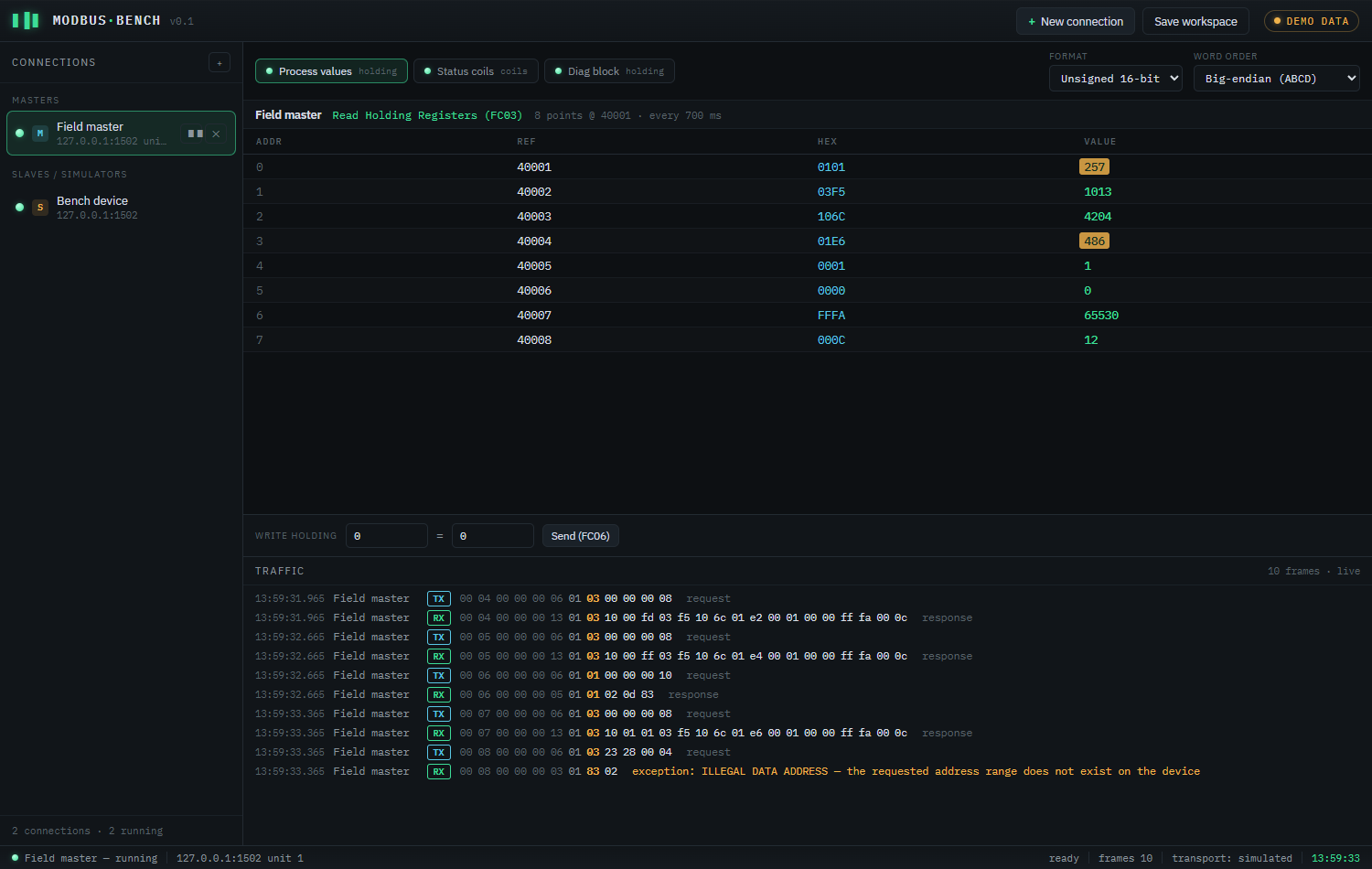
ModbusBench is a fast, no-nonsense tool for testing and simulating Modbus devices. Poll a PLC, simulate a meter, and read plain-English diagnostics for every frame — master and slave in one app.

Free while in beta · one-time perpetual license at launch · no subscriptions
ModbusBench — live register poll + traffic
ModbusBench polling a device: live register grid with decoded values and a byte-level traffic log
What it does

Built for the bench and the field

Everything you need to bring up, commission, and debug Modbus devices — without juggling three half-tools.

M+S

Master & slave in one

Poll real devices and simulate your own — no separate purchase, no second app. One license covers both roles.

TCP & RTU

Modbus TCP and RTU over serial, with read/write function codes 01–06, 15 and 16, and robust framing that survives flaky USB adapters.

!

Decoded diagnostics

Exceptions in plain English, byte-grouped frames with the MBAP header dimmed and the function code highlighted. Stop decoding hex by hand.

Device simulator

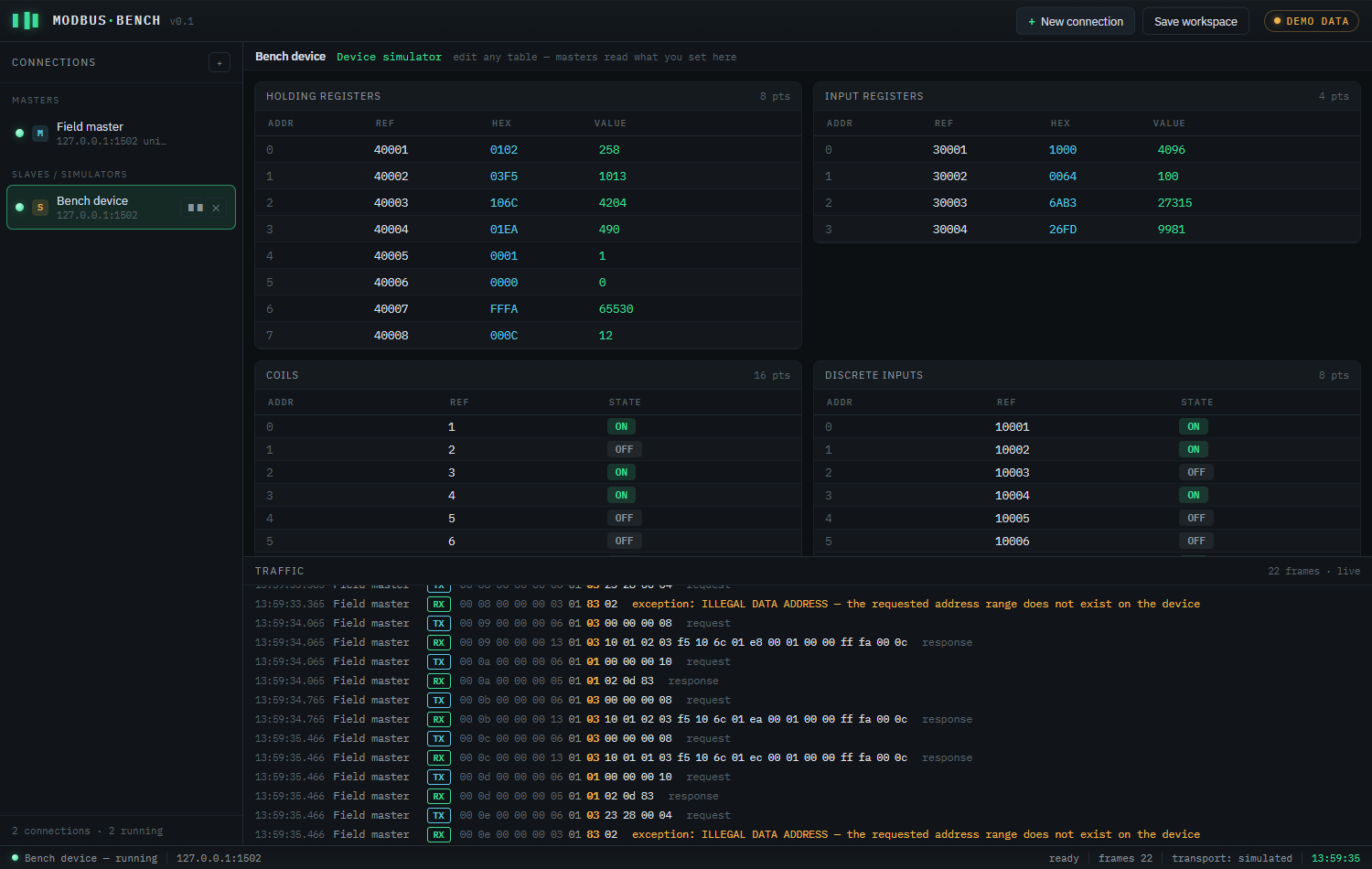
Define holding/input registers and coils/discrete inputs, then edit values live while a master reads them back.

0x

Every value format

Read registers as 16/32/64-bit integers and IEEE floats, in all four byte/word orders — the swap your device actually uses.

Works offline

No cloud, no account to use it. A small native app that runs on air-gapped commissioning laptops where it matters.
Simulate any device

Be the device, not just the client

Need to test a SCADA poll before the hardware arrives? Stand up a Modbus slave in seconds and shape its register map by hand.

  • All four tables — holding, input, coils, discrete inputs
  • Edit values live; connected masters read exactly what you set
  • Spec-correct exceptions for out-of-range reads, so your client is tested honestly
ModbusBench — device simulator
ModbusBench device simulator showing editable holding, input, coil and discrete-input tables

Download ModbusBench

Windows 10 / 11, 64-bit. About 14 MB. No installer bloat, no telemetry.

v0.1.0 beta Windows x64 Perpetual license at launch No subscription
This beta isn't code-signed yet, so Windows SmartScreen may warn you. Click More info → Run anyway to install. A signed release lands before launch.